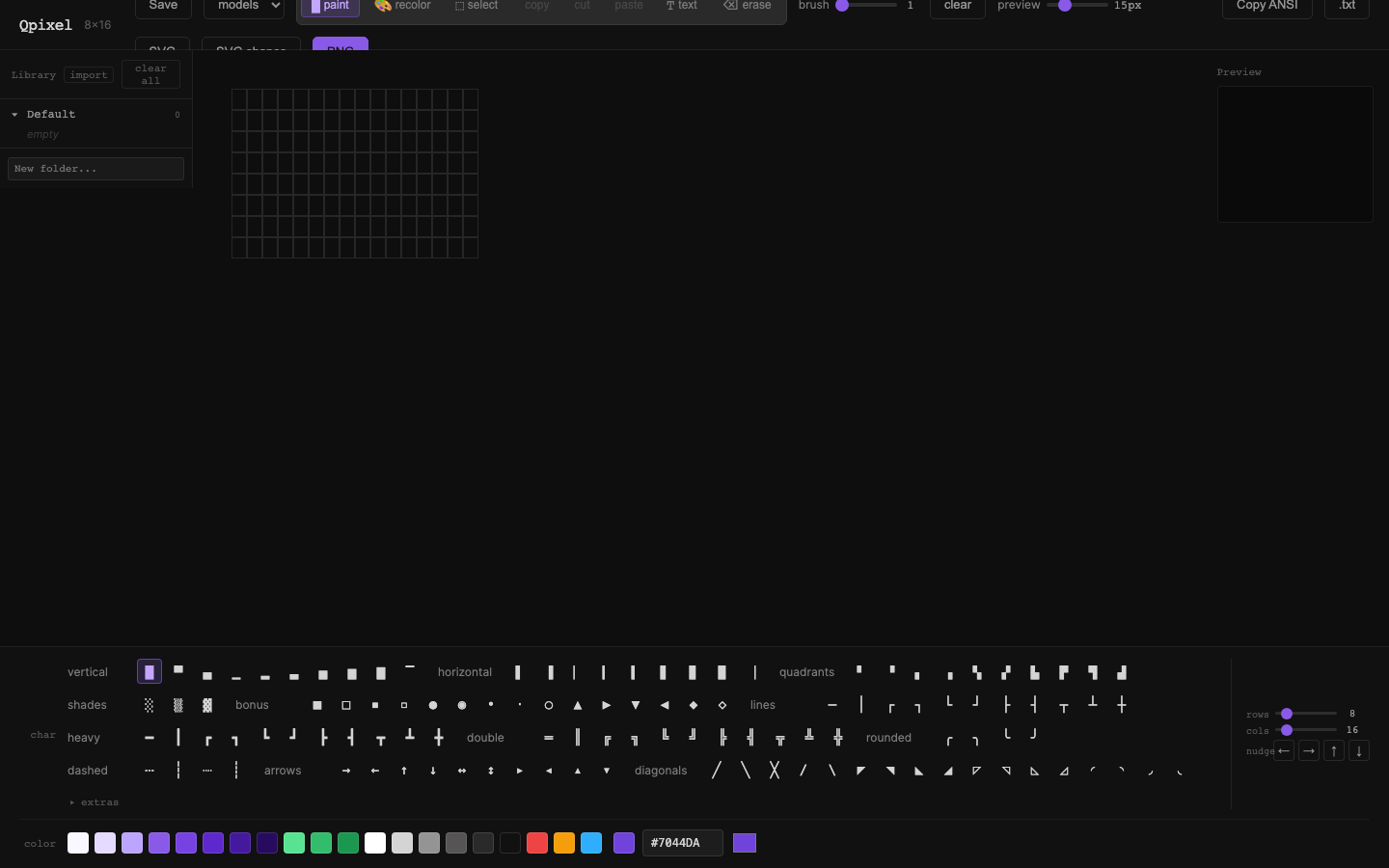
Selection Clipboard
Why
Qpixel already has a rectangular selection buffer, but it behaves like a special-case select tool interaction rather than a standard clipboard. That makes moving art between saved items awkward: selection state lives in QpixelGrid.vue, clipboard data lives in useEditor.ts, copy happens implicitly on mouse-up, and paste is tied to the next click instead of the normal copy/cut/paste flow users expect.
This cycle turns the existing feature into a dependable selection clipboard that survives library item changes and feels native to use.
Objective
Add standard-feeling copy, cut, and paste for rectangular pixel selections, with behavior that works predictably when moving between saved library items.
Scope
- Keep rectangular selection as the interaction model
- Support
Cmd/Ctrl+C,Cmd/Ctrl+X, andCmd/Ctrl+V - Preserve pixel clipboard contents while loading different library items in the same session
- Add explicit paste placement behavior instead of relying on hidden select-tool state
- Keep text paste working for the text tool
- Add regression coverage for cross-item copy/paste
Deliverables
- Editor-level selection + clipboard state
- Standard copy/cut/paste actions and shortcuts
- Toolbar affordances for selection clipboard operations
- Cross-library-item paste behavior that works intentionally
- Regression tests for selection clipboard workflows
Outcome Target
By the end of c5, Qpixel should treat rectangular pixel selections like a real clipboard feature rather than a select-tool trick, making it natural to move pieces of art between saved items.
Execution Plan
1. Promote selection and clipboard to editor-level state
- Move the current selection rectangle out of
QpixelGrid.vueand intouseEditor.tsor a dedicated clipboard composable - Store these concepts separately:
- current selection bounds
- clipboard payload (
cells,rows,cols) - clipboard mode (
copyvscut) - optional paste-preview anchor
- Make
QpixelGrid.vuea renderer/emitter for selection interaction instead of the owner of clipboard truth
This is the key structural fix. Right now selCopied in the grid can drift from the actual clipboard contents in useEditor.ts, which is exactly the sort of mismatch that makes cross-item workflows feel unreliable.
2. Replace implicit auto-copy with explicit clipboard actions
- Change drag-select to create or update a selection without automatically copying it
- Add editor actions for:
copySelection()cutSelection()pasteClipboard(anchorRow, anchorCol)clearSelection()clearClipboard()only when we intentionally want to reset it
- Keep cut non-destructive until paste completes, matching the current delayed-clear approach where practical
The user-facing mental model should become: select first, then copy/cut, then paste. That is more learnable than the current "drag means copy, next click means paste" flow.
3. Define standard paste targets
- When pasting a pixel clipboard:
- if there is an active selection, paste at that selection's top-left cell
- otherwise if there is a paste preview anchor, paste there
- otherwise paste at the last focused grid cell
- otherwise fall back to
(0, 0)
- In select mode, support click-to-place paste preview or direct paste placement
- Add
Escapeto cancel paste-preview state without clearing clipboard contents
This makes paste deterministic when moving from one saved item to another, even if the destination canvas has just been loaded.
4. Preserve clipboard across library item loads
- Treat
loadCanvas()as a canvas replacement, not a clipboard reset - Clear transient UI state that no longer makes sense after load:
- selection bounds
- hover state
- text cursor
- paste anchor if it would be misleading
- Keep the pixel clipboard payload alive so a selection copied from item A can be pasted into item B immediately after load
- Show a small toast or status hint after load when clipboard contents are available, so the user knows paste is ready
The important distinction is: loading a saved item should reset document-local editing affordances, but not the user's clipboard.
5. Add standard shortcuts and visible affordances
- Add global/editor-scoped keyboard handling for:
Cmd/Ctrl+Ccopy selectionCmd/Ctrl+Xcut selectionCmd/Ctrl+Vpaste pixel clipboard when available, otherwise fall back to text paste behaviorDelete/Backspaceto clear selection contents when select mode is active
- Add toolbar actions for copy, cut, and paste near the select tool
- Disable or dim actions when no selection or clipboard is available
- Update tooltip text and any toast copy so the workflow is discoverable
Keyboard support matters here because "standard copy/paste" is mostly about predictability, not just feature presence.
6. Support browser clipboard as an enhancement, not a dependency
- Keep an in-memory pixel clipboard as the reliable baseline
- Optionally mirror pixel selections to the browser clipboard using a Qpixel JSON payload when browser APIs allow it
- On paste, prefer Qpixel clipboard data first, then text/plain fallback for the text tool
- Do not block the feature on clipboard API permission edge cases
This gives us a path toward true system clipboard behavior later without making the first implementation brittle.
7. Add regression coverage
- Add focused unit coverage around:
- selection normalization
- cut source clearing
- paste clipping at canvas edges
- overlapping cut/paste cases
- Add a Playwright flow for the real user journey:
- create item A
- draw a small region
- select and copy/cut it
- save or load item B
- paste into item B
- verify the destination cells match expectations
- Add one test that confirms text paste still works in text mode after pixel clipboard support lands
Success Criteria
- A user can copy a rectangular pixel selection from one saved item and paste it into another without reselecting or relying on hidden state
Cmd/Ctrl+C,Cmd/Ctrl+X, andCmd/Ctrl+Vwork predictably for pixel selections- Text paste remains intact in text mode
- Loading a library item does not silently discard clipboard contents
- Selection and clipboard state no longer live in conflicting layers of the UI
Open Questions
- Should paste use a lightweight ghost preview before commit, or should the first paste action apply immediately?
- Should cut clear the source immediately on
Cmd/Ctrl+X, or continue to clear on successful paste so moving feels safer? - Do we want clipboard contents to survive full page reloads, or is same-session durability enough for this cycle?
Visual record
1 captures — heroes, page slices, and full-page renders. Click to view.