← Cycles
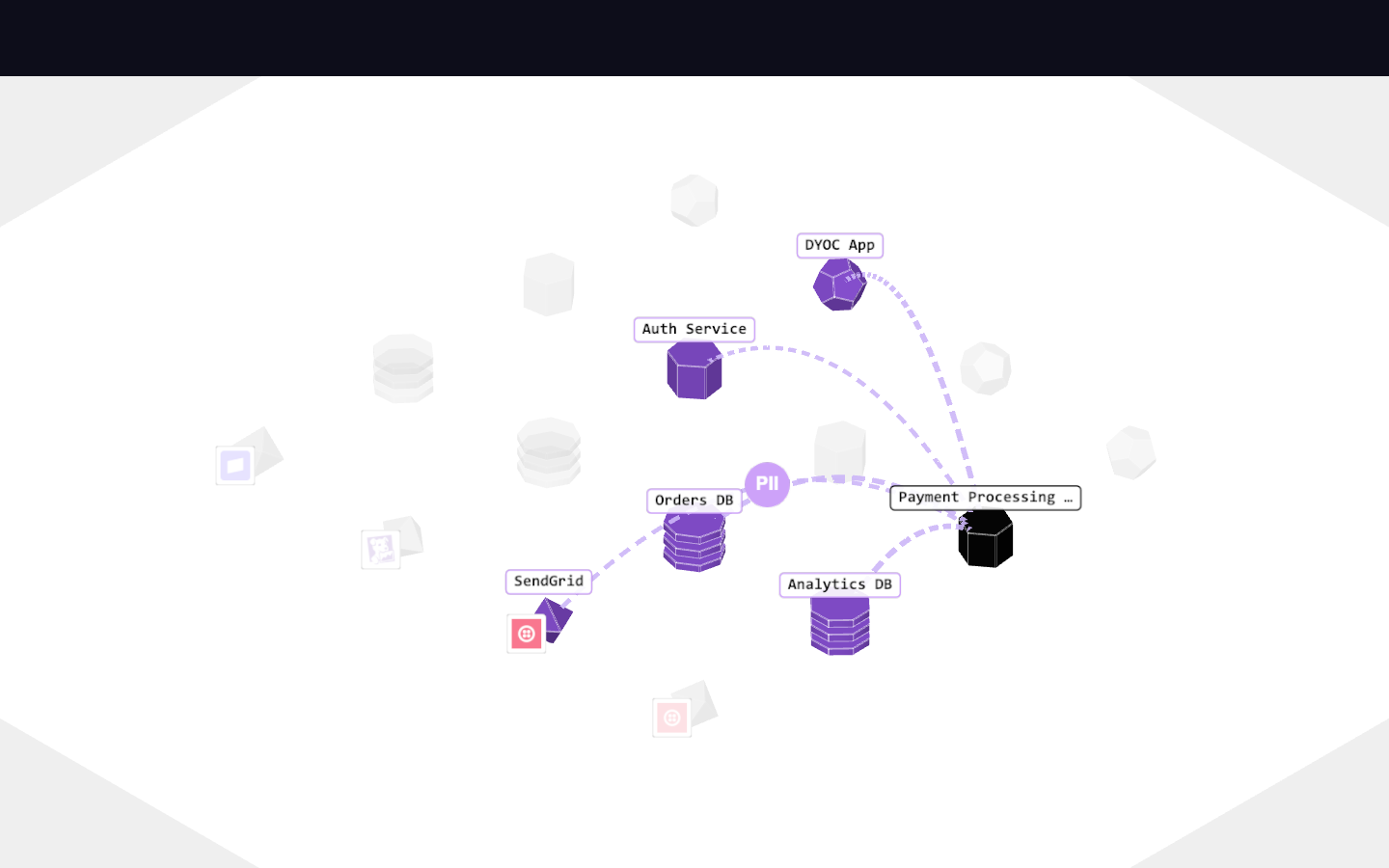
Dash style (default), spin frozen 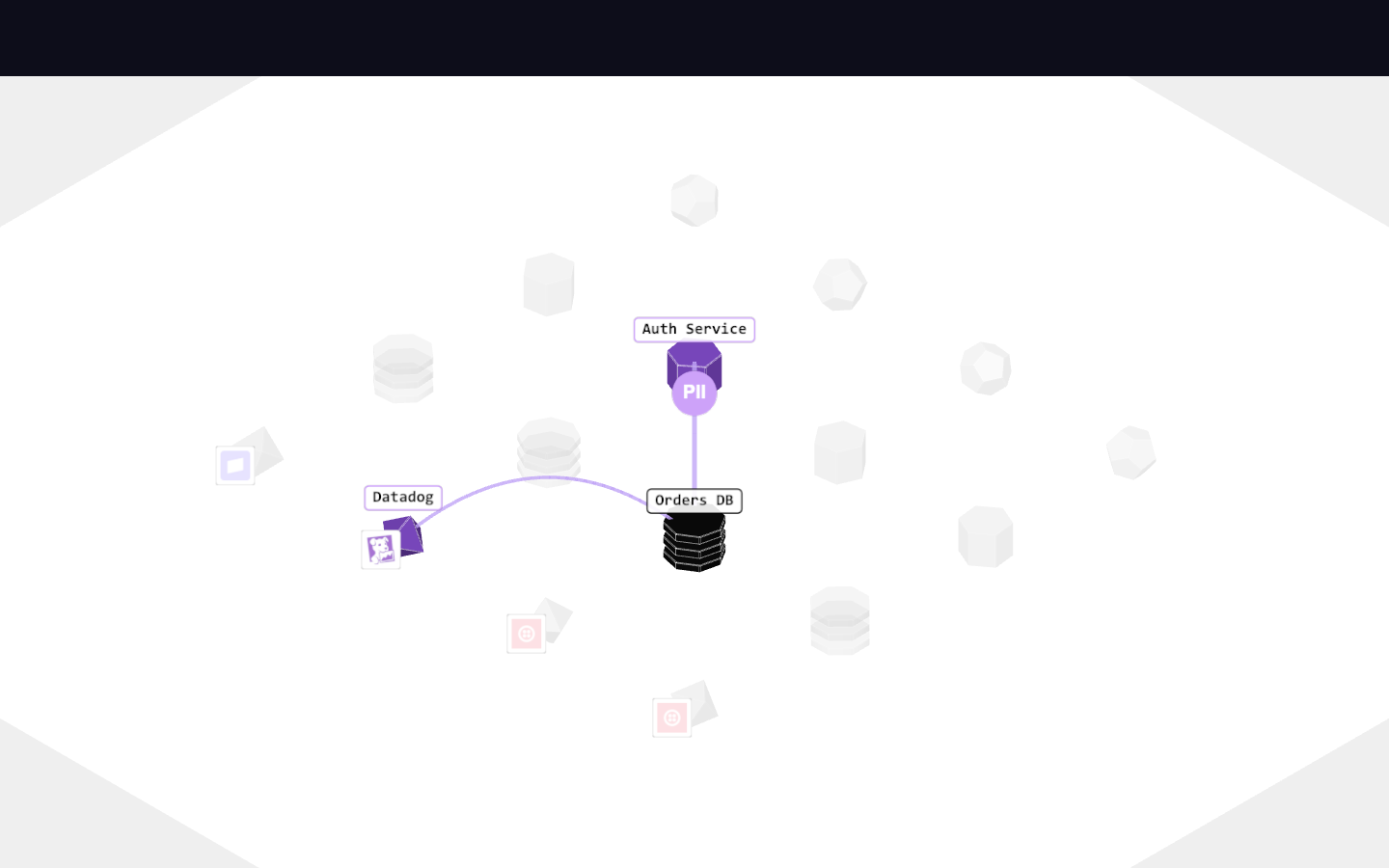
Plain line flows 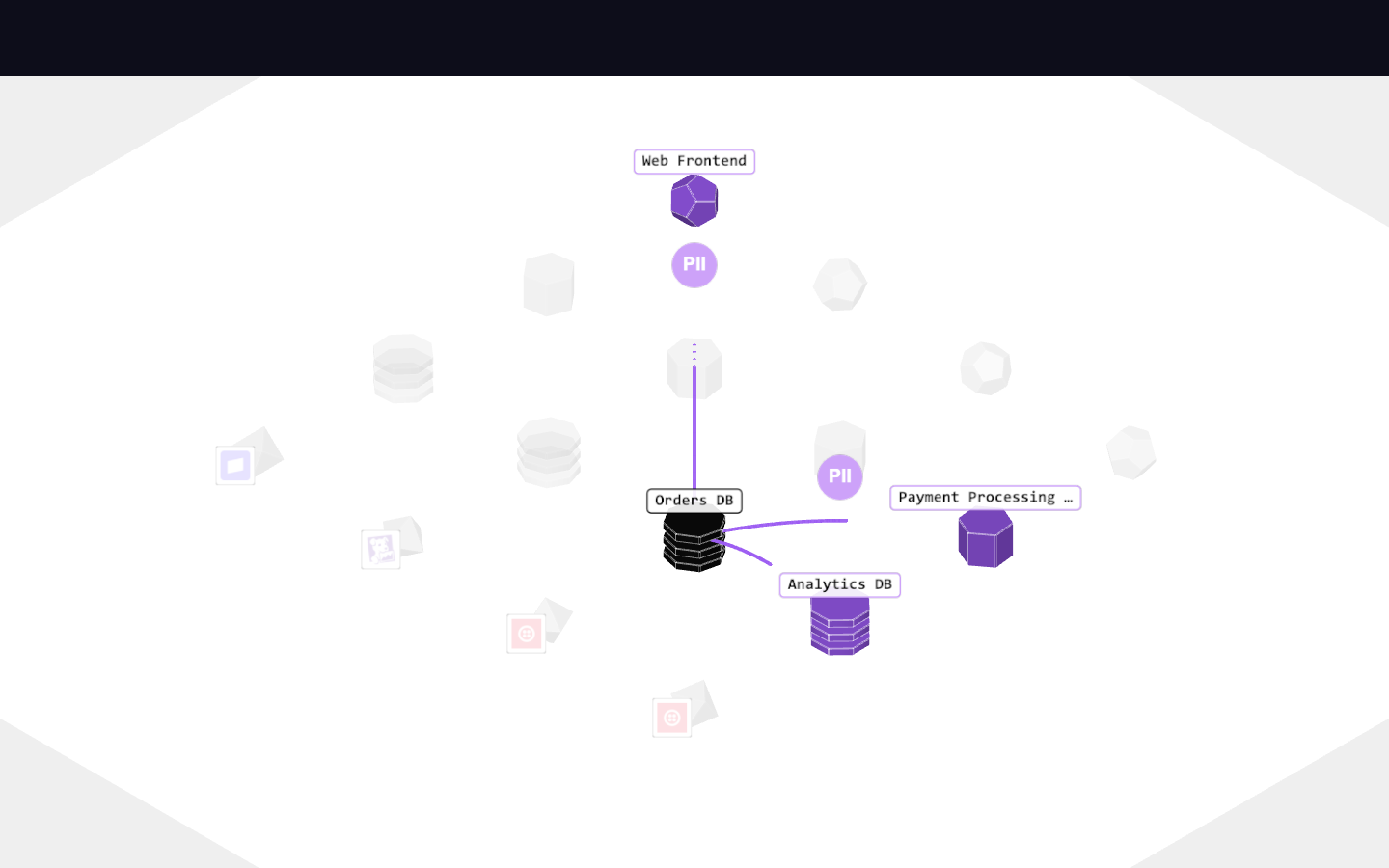
Pulse style 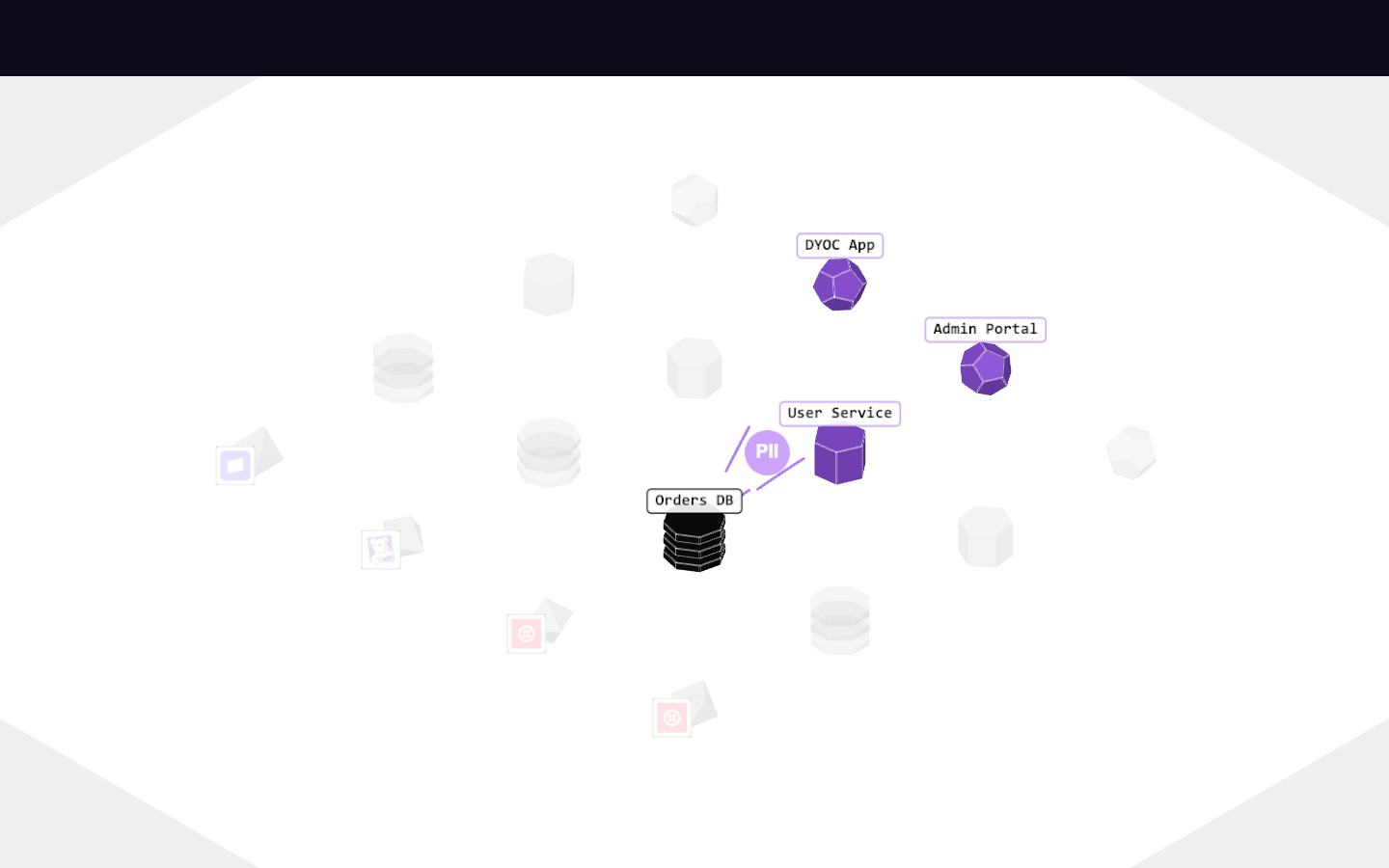
Arrow style 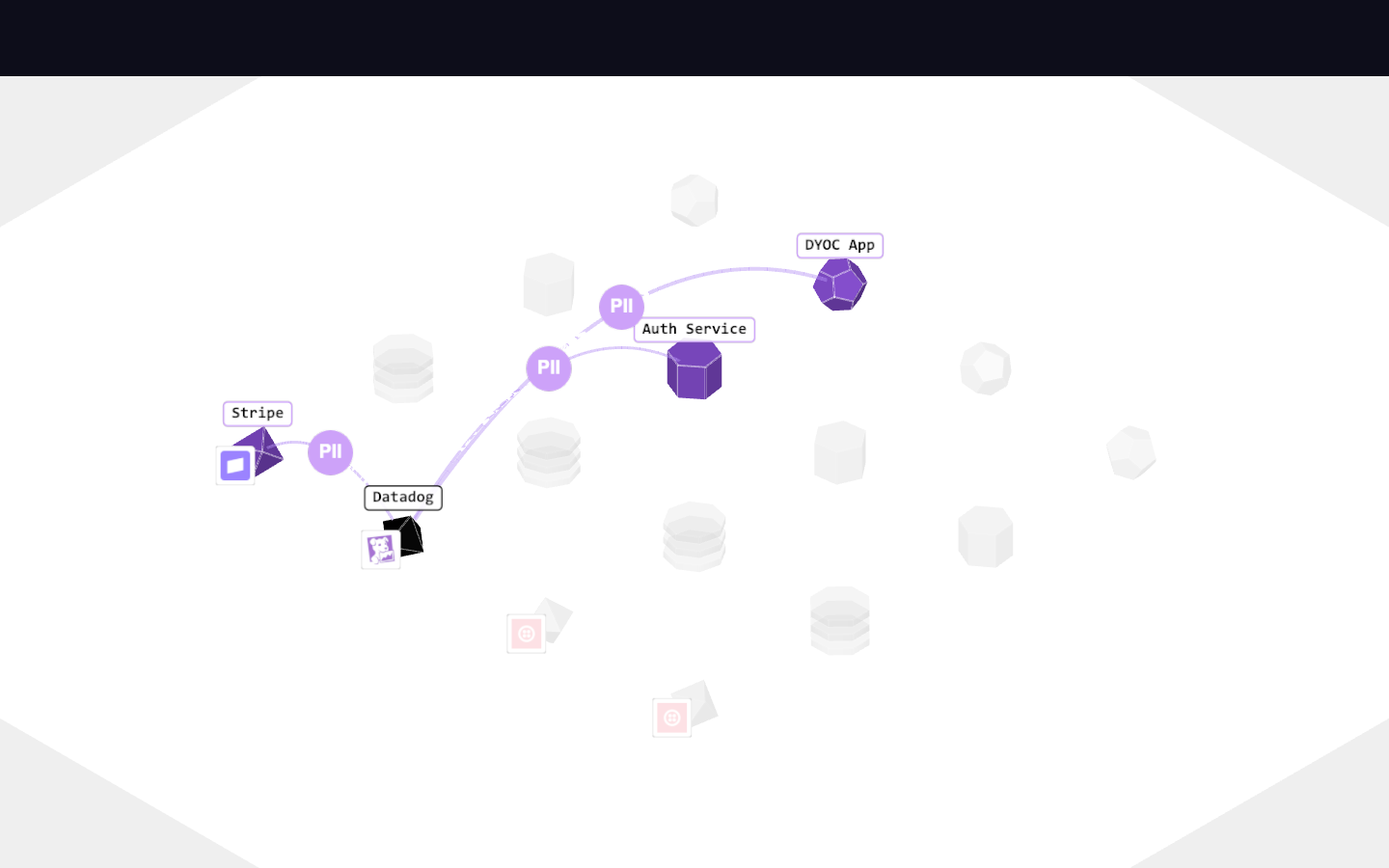
Glow style 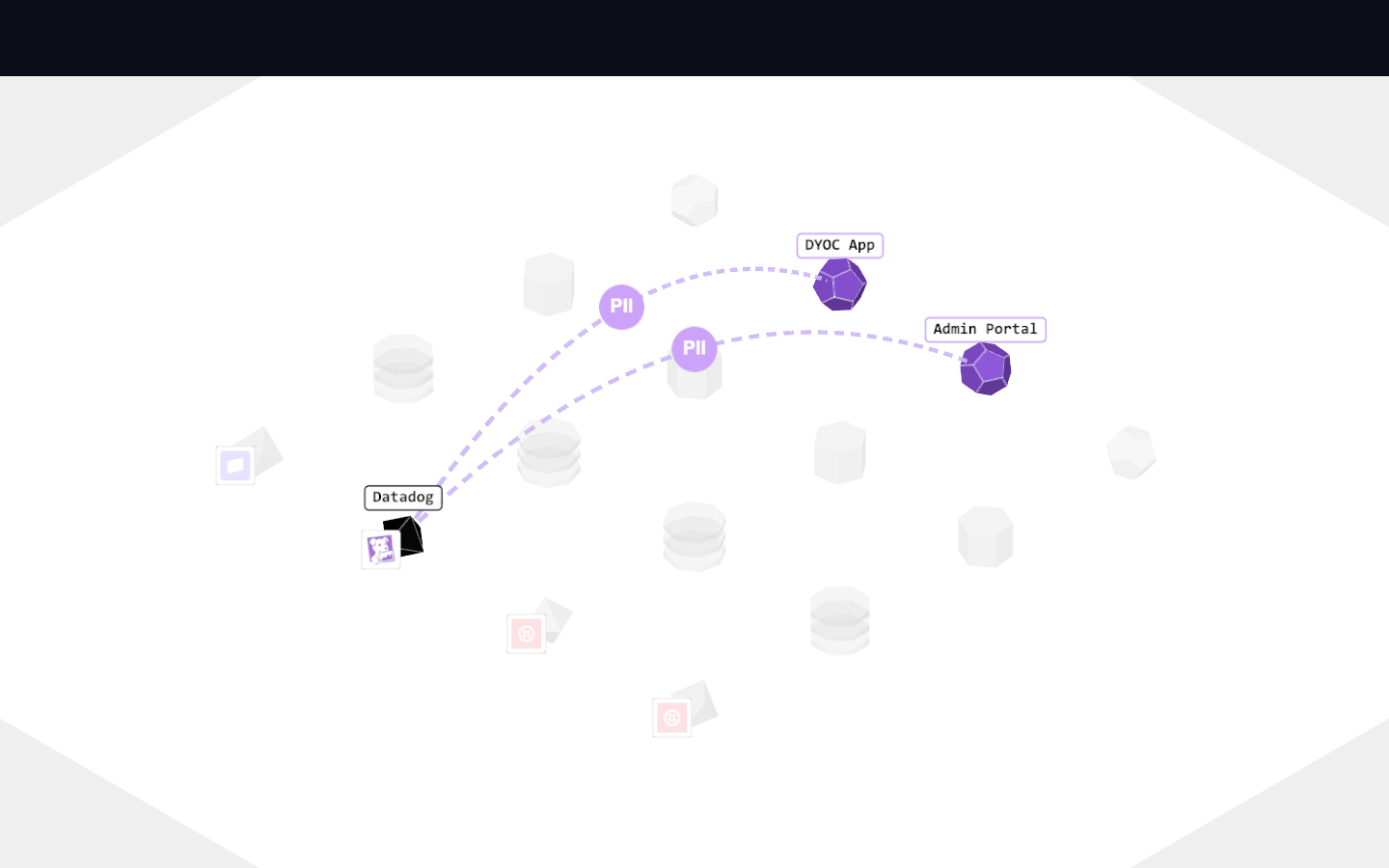
Curve 0 — flows hug the ground 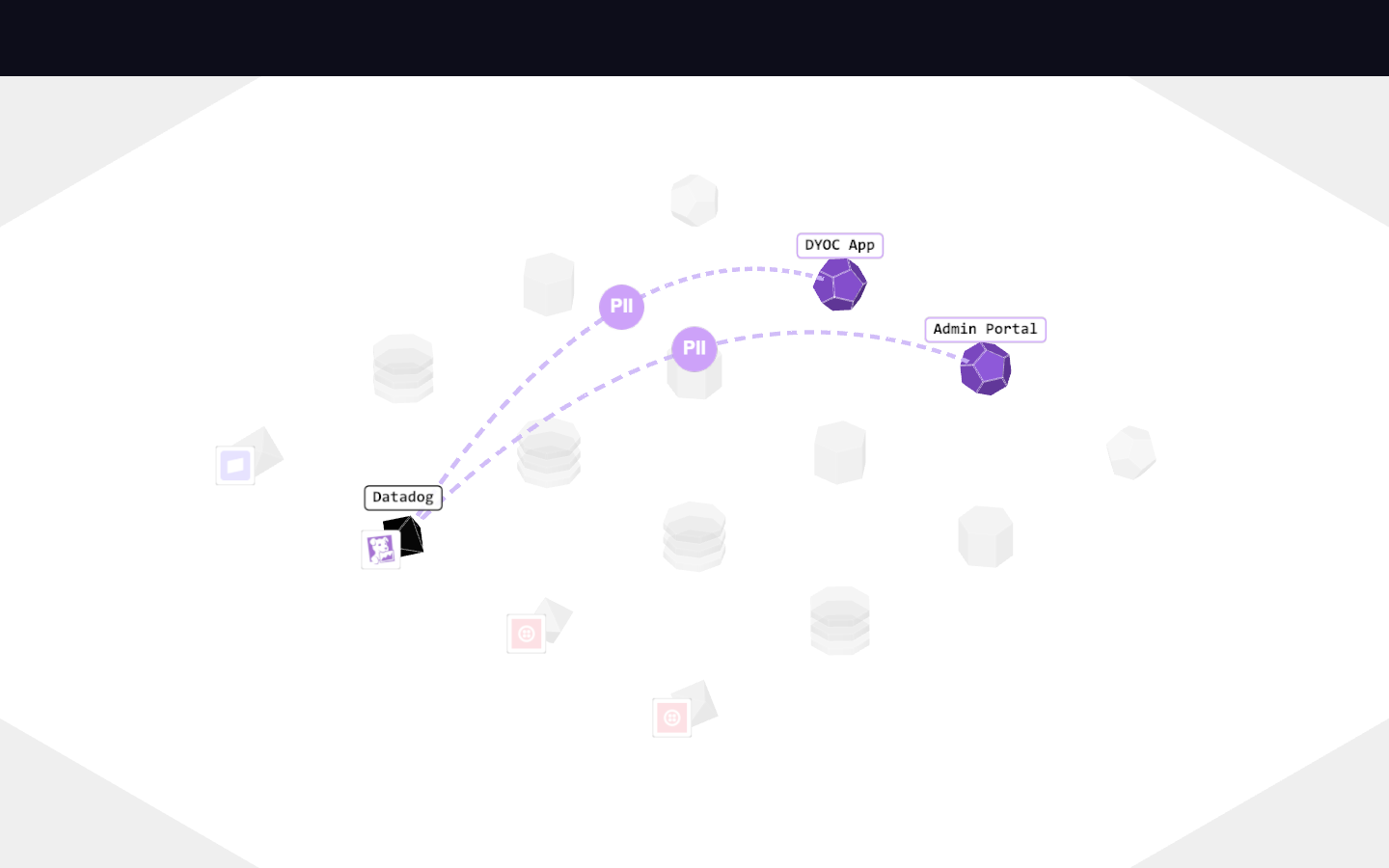
Curve 4, thickness 3 — heavy arcs 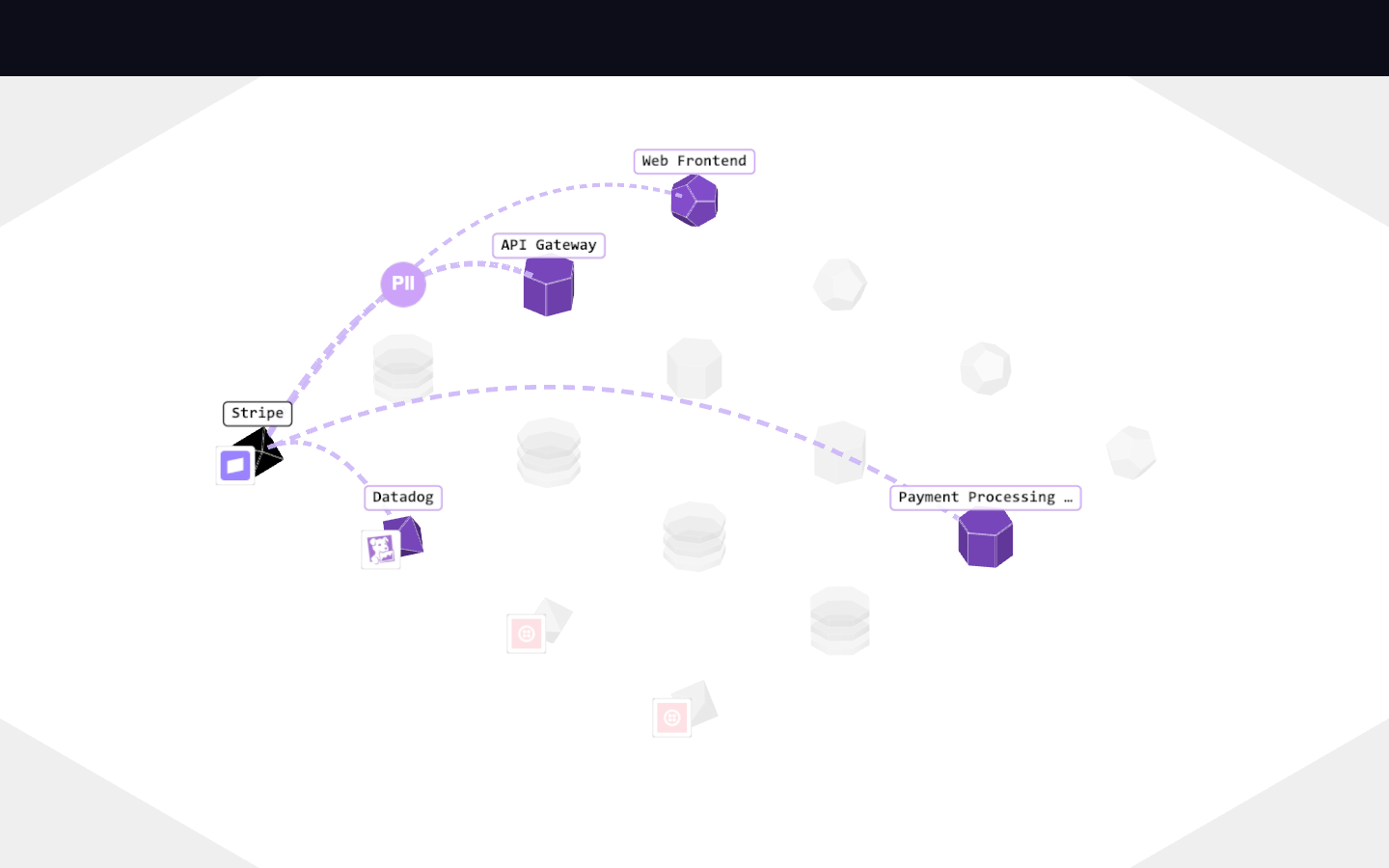
Speed cranked — traffic urgency 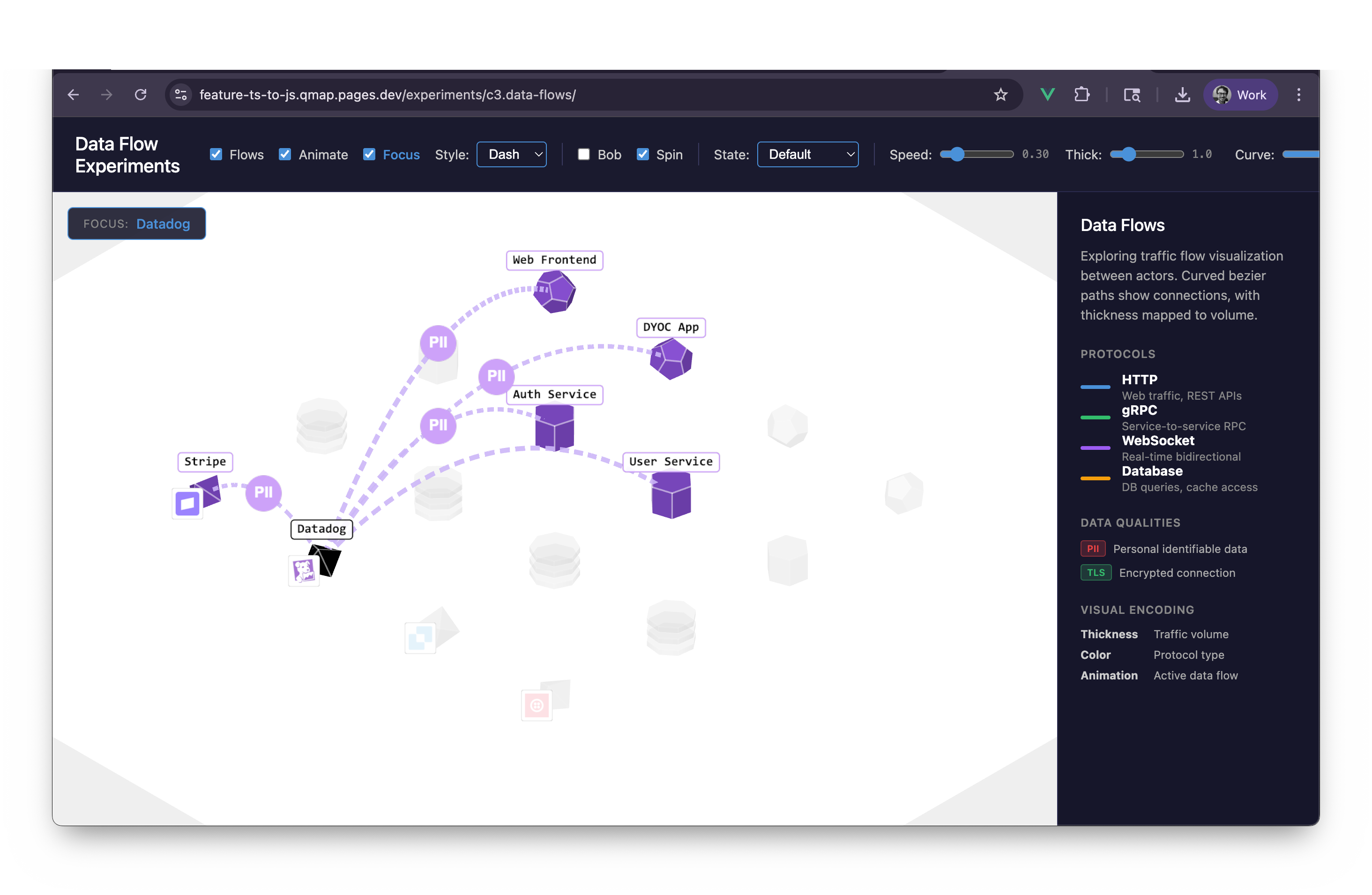
Qmap · c3
data-flows
archivedcreated 2026-03-23· last activity 2026-08-15
New in this cycle: Curved bezier traffic flows — thickness is volume, color is protocol
Summary
Exploring traffic flow visualization between actors. Building on c2's entity mesh foundation to answer the core question: "What's talking to what?"
Goals
- Visual connections - Show data flowing between actor entities
- Traffic attributes - Volume, direction, protocol type
- Interactivity - Hover/select to highlight specific flows
- Clarity - Avoid visual clutter when many connections exist
Data Qualities to Represent
Traffic Metrics
- Volume - Bytes/requests per second (throughput)
- Latency - Response time (connection health indicator)
- Error rate - Failed requests percentage
Security/Compliance
- PII presence - Personal data flowing through connection
- Encryption - TLS vs plaintext
- Auth level - Authenticated vs anonymous traffic
Protocol/Type
- HTTP/HTTPS, gRPC, WebSocket, DB queries
- Read vs Write - Especially relevant for database connections
Visual Encoding Matrix
| Quality | Possible Encodings |
|---|---|
| Volume | Line thickness, particle density, animation speed |
| PII/Sensitive | Color tint (amber/red), icon badge, pulsing glow |
| Direction | Animated dashes, particle flow, arrow heads |
| Active state | Brightness increase, thickness pulse, white tween |
| Protocol | Color hue, dash pattern, icon on hover |
| Error/Warning | Red tint, jitter animation, broken-line pattern |
Strategies Implemented
1. LineFlow (Baseline)
Static curved line visualization using quadratic bezier curves.
- Use case: Clean, always-visible connections for low-motion views
- Volume encoding: Line thickness (1-4px proportional to 0-1 volume)
- Protocol encoding: Color hue from colorScheme
- State support: Tweened transitions (idle → active → highlighted → warning)
- Tech: Three.js
Line2/LineGeometry/LineMaterialfrom examples
2. PulseFlow (Tethered Stretch)
Three-phase animation showing data "arrival" at target:
- Extend (0.15s) - Line stretches source→target, tail anchored at source
- Hold (1.4s) - Full connection visible, tethered to origin
- Retract (0.25s) - Tail releases, shrinks toward target as opacity fades
- Idle (0.4s) - Pause before next pulse
- Use case: Emphasizing active connections, showing data being "pulled through"
- Volume effect: Thinner = slower animation
- Tech: Head/tail position tracking via
_headTand_tailTparameters
3. ArrowFlow (Flying Comet)
Arrow "packet" flying from source to target with comet tail effect:
- Extend (0.6s) - Arrow flies out (head advances, tail lags via
cometHeadLength) - Hold (0.8s) - Full connection briefly visible
- Retract (0.4s) - Tail catches up to head at destination
- Idle (0.3s) - Brief pause
- Use case: Emphasizing direction (head position makes flow obvious)
- Volume effect: Higher volume = faster animation
- Tech: Decoupled head/tail speeds create chasing visual
4. DashFlow (Data Packet Streams)
Animated dashes traveling along the line like moving packets.
- Use case: Volume visualization, continuous traffic indication
- Volume encoding: Packet density (larger dashes, smaller gaps at high volume)
- Speed scaling: 0.8x to 1.2x base speed based on volume
- Tech: LineMaterial's built-in
dashed+dashOffsetfor GPU-accelerated animation - Efficiency: Most performant—no geometry rebuilding, just uniform updates
5. GlowFlow (Pulsing Bright Spot)
Two-layer system: dim baseline with bright pulse traveling along.
- Base layer: Always visible, dim (opacity: 0.3)
- Pulse layer: Bright animated segment (opacity: 1.0)
- Use case: Non-intrusive baseline + attention-grabbing active indication
- Volume effect:
pulseDurationscales inversely with volume
Future Strategies (Not Implemented)
- ParticleFlow - Dots/sprites moving along path
- Edge Bundling - Group parallel flows to reduce clutter
Interaction Patterns (future)
- Hover on actor → highlight its connections
- Click on flow → show details panel
- Filter by protocol/zone/quality
Foundation (from c2)
This cycle inherits the entity system:
BaseMeshwith state management, animations, disposable trackingAppMesh,ServiceMesh,DatabaseMesh,VendorMesh- Factory pattern via
createEntity() - State colors: active (purple), highlighted (teal), warning (red), ignored (white)
See ../c2.entity-meshes/CYCLE.md for entity details.
Files
flows/
├── index.js         - Factory + exports + FLOW_STYLES registry
├── BaseFlow.js      - Base class: lifecycle, disposal, state, tweening
├── LineFlow.js      - Static curved lines (baseline)
├── PulseFlow.js     - Tethered stretch animation
├── ArrowFlow.js     - Flying comet animation
├── DashFlow.js      - Moving packet dashes (GPU-accelerated)
└── GlowFlow.js      - Dim baseline + bright traveling pulse

entities/              - Inherited from c2 (unchanged)
├── BaseMesh.js      - State, animation, labels, disposal
├── AppMesh.js       - Dodecahedron (apps)
├── ServiceMesh.js   - Hexagonal prism (services)
├── DatabaseMesh.js  - Stacked slabs (databases)
├── VendorMesh.js    - Diamond + favicon (vendors)
└── index.js         - Factory pattern

shared/
├── ExperimentBase.js - Scene setup + animation loop
├── testData.js       - 18 actors + 15 sample flows
└── colorScheme.js    - Color definitions
Progress
Phase 1: Foundation ✓
- Define flow data structure (SAMPLE_FLOWS in testData.js)
- Implement BaseFlow with lifecycle, disposal, entity refs
- LineFlow with curved bezier paths
- PulseFlow with tethered stretch animation
- ArrowFlow with flying comet animation
- DashFlow with GPU-accelerated dash animation
- GlowFlow with dim baseline + bright pulse
- Style switcher in UI (5 options)
Phase 2: Visual Polish ✓
- Animated direction indicator (all flow types)
- Volume-based thickness and speed
- Protocol-based coloring
- Active state tweening (thicken + white shift)
- PII quality badge (canvas sprite at midpoint)
Phase 3: Interactivity (Future)
- Hover highlighting
- Click to select/inspect
Phase 4: Advanced (Future)
- Particle flow variant
- Additional quality badges (encryption, latency)
- Edge bundling for high-connectivity scenarios
Lessons Learned
What Worked Well
- Five distinct visual strategies offer real choices for different contexts
- LineFlow for clarity, animated types (Pulse, Arrow, Dash, Glow) for motion/emphasis
- OOP/inheritance approach for flows
- BaseFlow handles 80% of functionality (lifecycle, disposal, state, tweening)
- Subclasses only implement visual differences
- Easy to add new flow types
- Bezier curves
- Clean upward arc avoids visual clutter
- Height scales with distance (proportional)
- Pre-computed for efficiency
- Configuration objects at top of each class
const PULSE_CONFIG = { extendDuration: 0.15, holdDuration: 1.4, ... }- Single source of truth for tuning, easy to compare across strategies
- PII badge system demonstrates extensibility
- Canvas-based sprite at curve midpoint
- Could easily add encryption icons, latency indicators, etc.
What Didn't Work / Gotchas
- Phase-based animations (Pulse, Arrow) are complex
- Head/tail tracking adds cognitive load
- Timing coordination between phases is error-prone
- Lesson: Keep phase count small (3-4 max)
- Dash animation subtleties
dashOffsetmust match line distance for proper cycling- On geometry rebuild, dash pattern can briefly desync
- Lesson: Validate dash/gap patterns match line length
- Curve midpoint calculation
- Bezier reaches 50% of control point height at t=0.5, not simple average
- Quality badge positioning was off until this was understood
- Lesson: Document geometric assumptions clearly
- LineMaterial resolution handling
- Set at creation time, doesn't auto-adapt to window resize
- Lesson: Need
updateResolution()method when viewport changes
Patterns Worth Preserving
- Disposable resource tracking
- Every geometry/material/texture calls
registerDisposable() - Single
dispose()cleans everything—prevents GPU memory leaks
- Every geometry/material/texture calls
- Phase progression system
PHASE = { IDLE, EXTEND, HOLD, RETRACT } _phaseProgress // 0-1 within current phase- Clear, maintainable state machine
- Easing functions as methods
_easeOutQuad(t),_easeInCubic(t)improve readability- Easy to experiment with different easing curves
- State management with optional tweening
setState(newState, { tween: true })for smooth transitions- Each subclass interprets visually (color, thickness, opacity)
Visual Encoding Summary
| Quality | Encoding | Implementation |
|---|---|---|
| Volume | Line thickness | 1-4px range, proportional to 0-1 |
| Direction | Animation direction | Dashes/arrows/pulses flow along curve |
| Protocol | Color hue | Consistent protocol→color mapping |
| PII | Purple badge | Canvas sprite at flow midpoint |
| Active state | Brightness + thickness | Color lerp toward white |
| Error/warning | Red tint | Configurable color transitions |
Visual record
9 captures — heroes, page slices, and full-page renders. Click to view.
Artifacts
/experiments/c3.data-flows/ (local dev)